Your edge protects your site. Can attackers just go around it?
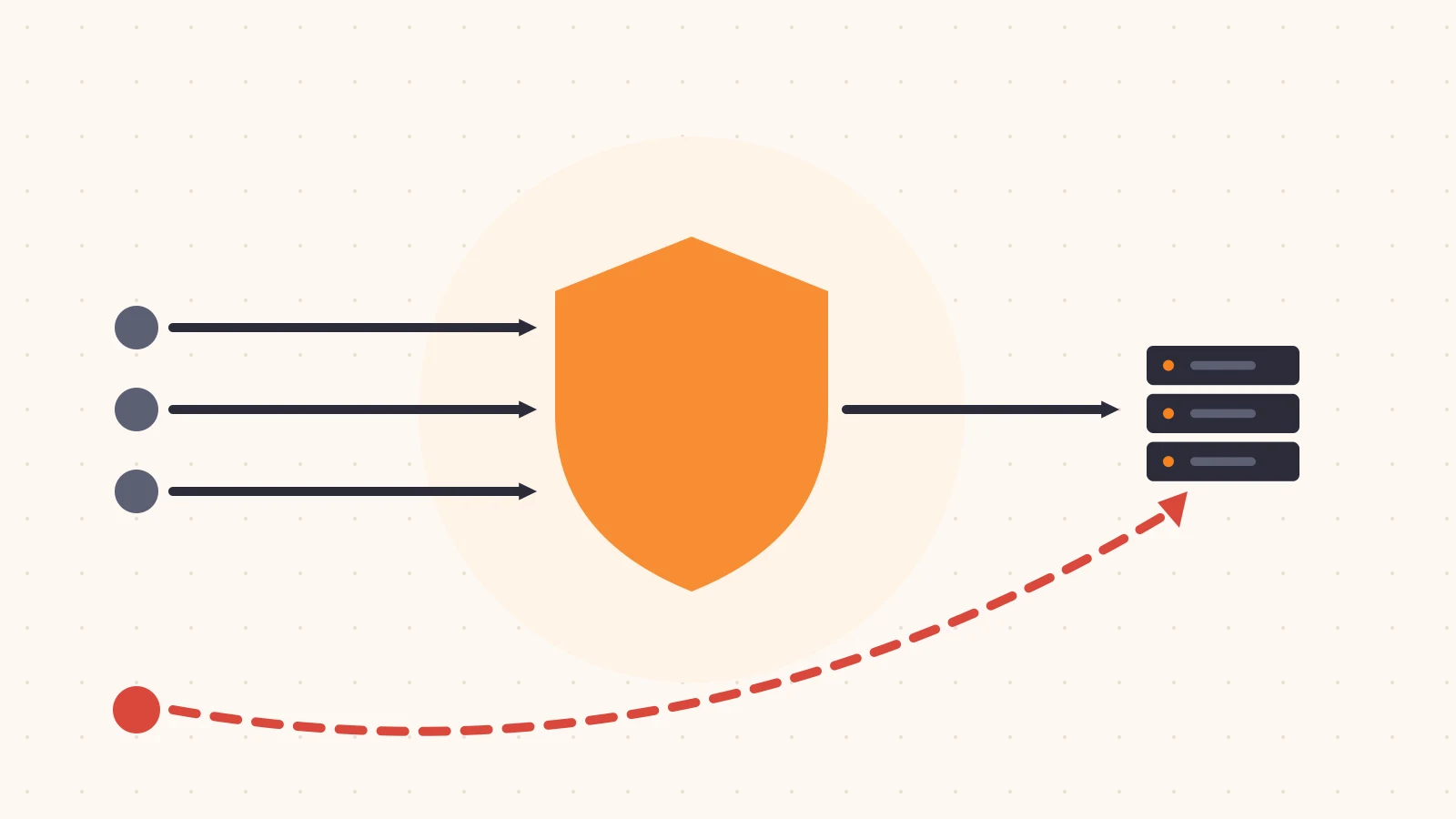
When we put a site behind an edge network, we usually picture a wall. Every request passes through the WAF, the rate limits, the bot rules and the cache before anything reaches our servers. That picture is why we pay for those features.
But the picture is only true if the origin refuses to talk to anyone else. In many setups it doesn’t. The origin still has a public IP address, it still accepts connections on port 443 from the whole internet, and anyone who learns that address can send requests straight to it. Those requests never see the WAF, never count toward a rate limit and never get a bot check. The edge is still on. It’s just optional.
In this post we’ll look at how origins end up reachable, how to check yours in about 15 minutes, and the options for closing the side door without breaking anything.
How the side door stays open
Almost nobody decides to leave their origin exposed. It happens because putting a site behind an edge network is usually a DNS change, and a DNS change doesn’t touch the server at all. The day before the migration the origin answered everyone. The day after, it still does.
A few patterns keep it that way:
- The firewall was never updated. The security group or host firewall still allows inbound HTTPS from
0.0.0.0/0, because that’s what it needed before the edge existed. - The old address is still known. The origin’s IP was in public DNS for months or years before the migration. Historical DNS records, old certificates and archived scans keep that address findable long after the record changes.
- Other records leak it. A mail server, a
dev.orstaging.subdomain, or a direct-to-origin hostname used for debugging resolves to the same machine, and that record isn’t proxied. - The server tells people. Error pages, redirect headers, outbound webhooks and email headers can include the origin’s real hostname or IP.
- New infrastructure starts open. Someone adds a server or a new load balancer in front of the origin, gives it a public address, and the firewall rules from the original lockdown don’t carry over.
None of these show up on the edge dashboard. Traffic there looks normal, because the traffic going around it isn’t there to see.
Checking whether your origin is reachable
You don’t need special tooling to find out. Here’s a short self-check. Run it from a machine outside your network, like a laptop on a home connection, so internal allow rules don’t give you a false sense of safety.
1. List every address your origin uses. Collect the public IPs of the origin servers, any load balancer in front of them, and any other hostname that points to the same machines. Your cloud console and your DNS zone are the two places to look.
2. Check which DNS records aren’t going through the edge. Any record that resolves to one of those origin addresses, instead of to your edge network’s addresses, is a signpost.
# For each hostname in your zone, compare where it resolves
for h in www api dev staging mail origin; do
  echo -n "$h.example.com -> "; dig +short "$h.example.com" | tr '\n' ' '; echo
done
3. Send a request straight to the origin. Use curl --resolve to pin your real hostname to the origin’s IP. This sends exactly the request a browser would, just without the edge in the middle.
# Replace 203.0.113.10 with your origin's public IP
curl -sv --resolve www.example.com:443:203.0.113.10 \
  https://www.example.com/ -o /dev/null 2>&1 | grep -E "^< HTTP|Connected"
If you get a 200, a redirect or your normal page, your origin is answering the internet directly. A timeout or a refused connection is what you want to see.
4. Try something the edge would block. If step 3 succeeded, send a request your WAF or rate limit would normally stop, like a harmless test pattern your rules match or a quick burst of requests. If the origin serves them all, every edge security feature is skippable for anyone who has that IP.
5. Repeat for every address. It’s common for the main site to be locked down while an API host, an older load balancer or a staging box is wide open.
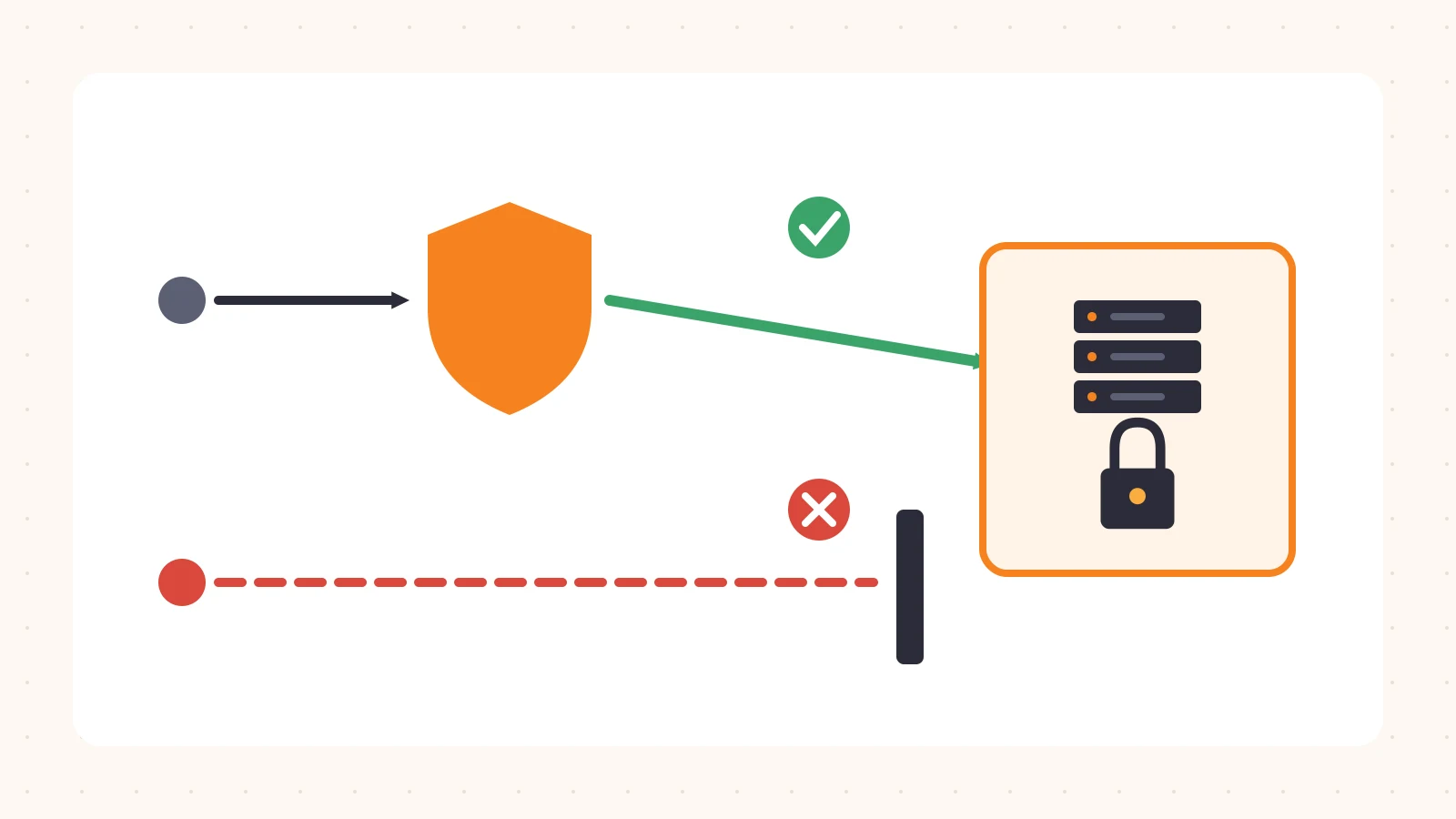
This is the state we’re aiming for: the origin accepts traffic only when it comes through the edge, and a direct request goes nowhere.
Closing it: four options, from simplest to strongest
There’s no single right answer. Most teams combine two of these.
Allow only the edge network’s IP ranges
Edge providers publish the IP ranges their servers use to connect to origins. Restrict inbound 80 and 443 on your firewall or security group to those ranges and drop everything else.
This is fast and blocks casual scanning. Its weak spots: the ranges change, so you need a way to keep the list current, and the ranges are shared with every other customer of the same network. Someone could, in principle, route traffic through their own account on the same network to reach you. Treat this as a solid first layer, not the whole answer.
Authenticate the edge with a client certificate
With authenticated origin pulls (mutual TLS between edge and origin), the edge presents a certificate when it connects, and the origin rejects any TLS connection that doesn’t present one it trusts. Ideally that’s a certificate specific to your account or zone, not one shared by every customer.
This proves the request came through your edge configuration, not just through the same network. It takes a bit more setup on the web server or load balancer, but it’s the check we see missing most often.
Require a secret header
Have the edge add a header with a long random value to every request it sends to the origin, and have the origin reject requests without it.
# Generic example: reject requests missing the shared secret
if ($http_x_origin_auth != "long-random-value-from-your-secrets-store") {
  return 403;
}
It’s simple and works almost anywhere, but it’s only as good as the secret. Rotate it, keep it out of logs, and don’t rely on it alone.
Don’t give the origin a public address at all
The strongest option is an origin with no inbound public exposure. The origin makes an outbound-only connection (a tunnel) to the edge network, or sits in a private network the edge reaches over a private link. There’s no open port to scan because nothing is listening publicly.
This takes more planning, especially for existing infrastructure, but it removes the whole class of problem instead of filtering it.
Rolling it out without an outage
Locking down an origin is one of those changes that can take a site down if you skip a step. A safe order:
- Inventory what legitimately talks to the origin directly. Health checks, monitoring probes, deploy pipelines, partner integrations and internal tools often connect without going through the edge. Each needs its own allow rule or needs to move behind the edge.
- Start in observe mode where you can. Log requests that would be rejected for a few days before enforcing, and look at who they come from.
- Change one hostname at a time. Start with a low-traffic host, confirm nothing breaks, then move on.
- Rotate the origin IP after locking it down, if you can. An address that was public for years is already in someone’s list.
- Re-run the self-check from an outside network once enforcement is on, and add it to your regular checks so a new server doesn’t quietly reopen the door.
A quick checklist
- Every origin IP and hostname is listed in one place
- No unproxied DNS record points at an origin
- A direct
curl --resolverequest to each origin fails - Inbound firewall rules allow only the edge (plus known, named exceptions)
- The origin verifies the edge with a certificate or secret, not only IP ranges
- The check runs again whenever infrastructure changes
Closing thoughts
The WAF, rate limits and bot rules on your invoice only protect requests that pass through them. If the origin answers anyone, those features are working on the honest traffic and skipped by everyone else. The fix is usually a firewall change and a certificate, not a new product.
At Plimie we’re building read-only reviews that check whether the edge features you pay for are actually in the path, including whether your origin can be reached around them. If you’d like a second look at your setup, request a free review.